Top Eyeglasses for Computer Use to Reduce Eye Strain
Find the best eyeglasses for computer use to reduce digital eye strain. Learn about blue light lenses, anti-reflective coating, and the right prescription for screen comfort.
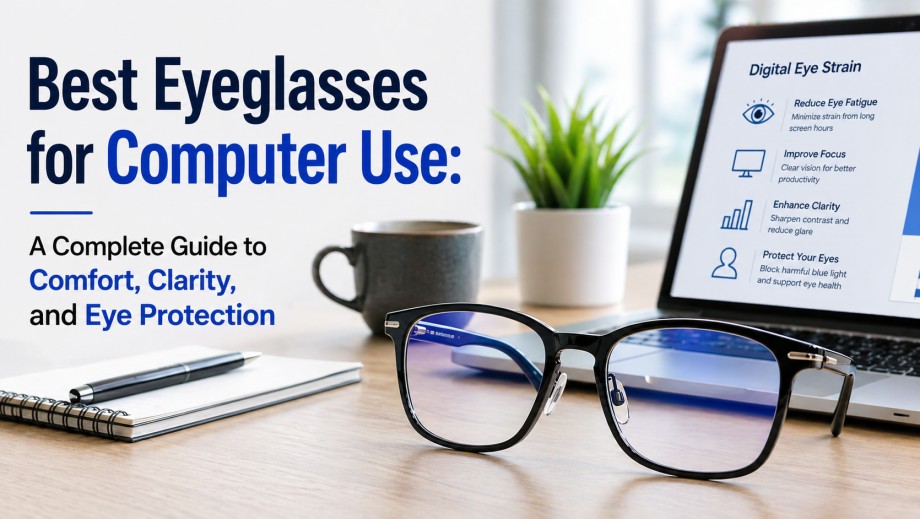
In today’s digital world, spending long hours in front of screens is unavoidable. Whether you work on a computer, browse your phone, or stream content, prolonged screen exposure can lead to digital eye strain, also known as computer vision syndrome. Symptoms like headaches, blurred vision, dry eyes, and neck pain are increasingly common. The right eyeglasses for computer use can significantly reduce these issues while improving productivity and comfort.
This guide will help you understand what makes computer glasses effective, how to choose the best pair, and which features matter most.
Why You Need Eyeglasses for Computer Use
Regular prescription glasses or reading glasses are not always optimized for screen distance. Computer screens are typically placed at an intermediate distance (about 20–28 inches), which differs from reading distance or far vision.
Computer-specific eyeglasses are designed to:
Reduce eye strain and fatigue
Improve focus at screen distance
Minimize glare from digital screens
Protect against blue light exposure
If you spend more than 2–3 hours daily on screens, investing in proper computer eyewear is not optional—it’s essential.
Key Features to Look for in Computer Eyeglasses
1. Blue Light Blocking Lenses
Blue light emitted from digital devices can disrupt sleep patterns and contribute to eye strain. Blue light blocking lenses filter out harmful wavelengths and improve visual comfort.
Benefits:
Reduces eye fatigue
Enhances contrast and clarity
Improves sleep quality when used in the evening
However, not all blue light filters are equal. Look for lenses that block at least 30–50% of blue light without distorting colors too much.
2. Anti-Reflective (AR) Coating
One of the most important features in computer glasses is an anti-reflective coating. Screens, overhead lighting, and reflections can cause glare, forcing your eyes to work harder.
Advantages of AR coating:
Reduces glare and reflections
Improves visual clarity
Enhances comfort during long screen sessions
This is a must-have feature for anyone working in offices or brightly lit environments.
3. Correct Lens Power for Intermediate Distance
Unlike reading glasses, computer glasses are optimized for mid-range vision. If you use standard reading glasses for computer work, you may find yourself leaning forward or adjusting posture frequently.
A proper prescription tailored for screen distance ensures:
Clear and comfortable viewing
Better posture
Reduced neck and shoulder strain
4. Photochromic or Light-Adaptive Lenses (Optional)
If you move between indoor and outdoor environments, photochromic lenses can be useful. These lenses adjust to changing light conditions, reducing eye strain caused by brightness shifts.
However, they are not essential if your work is primarily indoors.
5. Lens Tint (For Specific Use Cases)
Some computer glasses come with a slight yellow or amber tint. These can enhance contrast and reduce blue light exposure further.
Best for:
Night-time computer use
Gamers
People sensitive to bright light
But if color accuracy is critical (e.g., graphic design), clear blue light lenses are a better choice.
Types of Eyeglasses for Computer Use
1. Single Vision Computer Glasses
These are the most common types. They are designed specifically for one distance your computer screen.
Best for:
Office workers
Students
General computer users
They offer the simplest and most effective solution for everyday screen use.
2. Occupational or Computer Progressive Lenses
These lenses provide multiple zones for near and intermediate vision. They are different from regular progressive lenses, which include distance vision.
Best for:
Professionals who switch between screens, desk work, and meetings
Multitaskers
They offer flexibility without constantly switching glasses.
3. Blue Light Glasses (Non-Prescription)
If you don’t need vision correction, non-prescription blue light glasses are a good option.
Best for:
Casual users
People with normal vision
They mainly reduce digital strain but won’t improve clarity if you have refractive errors.
How to Choose the Best Computer Glasses
Here’s a simple step-by-step approach:
Get an eye exam – Ensure your prescription is up to date
Measure your screen distance – Usually 20–28 inches
Choose lens type – Single vision or occupational
Add essential coatings – Anti-reflective is non-negotiable
Decide on blue light protection – Based on screen time
Select a comfortable frame – Lightweight and well-fitted
Avoid generic, low-quality glasses, especially if you work long hours. Poor optics can worsen eye strain instead of improving it.
Additional Tips to Reduce Digital Eye Strain
Even with the best glasses, healthy screen habits are essential.
Follow the 20-20-20 rule:
Every 20 minutes, look at something 20 feet away for 20 seconds.
Adjust your screen:
Keep it at eye level
Maintain proper brightness and contrast
Reduce glare with proper lighting
Blink more often:
Screen use reduces blinking, leading to dry eyes.
Stay hydrated:
Proper hydration supports eye moisture and comfort.
Who Should Use Computer Eyeglasses?
You should consider computer glasses if you:
Work on screens for more than 3–4 hours daily
Experience headaches or eye fatigue
Have blurred vision after screen use
Feel dryness or irritation in your eyes
They are especially beneficial for:
Office professionals
Students
Designers and developers
Gamers
Conclusion
Choosing the best eyeglasses for computer use is about more than just vision correction; it’s about enhancing comfort, protecting your eyes, and improving your overall productivity.
The ideal pair should include:
Proper prescription for screen distance
Anti-reflective coating
Blue light protection (if needed)
Comfortable, ergonomic frames
With the right combination of lenses and healthy screen habits, you can significantly reduce digital eye strain and enjoy a more comfortable digital experience.


.webp)
.webp)